Audio Editor & Music Editor
- 4.5
- Rating
- 50.00M
- Installs
- Free
- Price

 Analysis by App-foxy
I approached Audio Editor & Music Editor as the kind of tool I would keep installed for quick audio jobs rather than as a replacement for a full desktop studio. It is a free Music & Audio app from Dairy App & Notes & Audio Editor & Voice Recorder, and its focus is practical: trimming recordings, cutting songs, editing voice clips, mixing audio, and preparing files for everyday use. After spending time with that workflow, my main impression is simple: it is most useful when I already know the small change I want to make and need to make it without opening a computer.
The app has a 4.4 average from around 442 thousand ratings and has passed 50 million installs, so it clearly appeals to a broad Android audience. That popularity does not automatically make it the right choice for everyone, though. I would recommend it to someone who wants accessible editing tools in one place, especially for short clips and personal recordings. I would be more cautious with musicians who need a detailed multitrack environment, engineers who require exact control over a production session, or anyone who expects every advanced function to be available without an upgrade.
How I decide whether this editor is the right fit
My first decision criterion is the job itself. If I need to remove silence at the beginning of a voice memo, shorten a song for a personal project, isolate a useful section, or prepare a cleaner clip for sharing, a mobile editor makes sense. If I need a long arrangement with many tracks, delicate automation, or a repeatable professional mastering chain, I would start with a different class of software. This app is built around quick, understandable changes, not the full depth of a studio workstation.
You May Also Like

 Blood Strike: 2.5 Anniversary
Blood Strike’s Loadouts Turn Every Drop Into a Tactical Gamble
A close look at Blood Strike’s custom loadouts: how fast access to signature weapons reshapes its battle royale rhythm, rewards preparation, and narrows the gap between fights.

 Pandora - Music & Podcasts
Pandora’s Music Is Easy to Start, but Harder to Recover
Pandora’s strength is its low-effort path from a seed to a station. Its weak spot is how much confidence it asks you to place in connection, setup, and quiet recovery.

 8 Ball Pool
 Is Built on Rivalries, Rematches, and Routine
A close look at the rivalries, rematches, shared routines, and unanswered safety questions that turn a quick pool match into a persistent mobile community.

 Samsung Music
’s Quiet Strength Is Playing What You Already Own
Its reach comes less from spectacle than from dependable access to a personal library. That simplicity is both the app’s strongest retention engine and its ceiling.

 AccuWeather: Weather Radar
AccuWeather Review: A Quick, Clear Forecast for Everyday Decisions
For everyday plans, the best forecast is the one you can understand quickly. AccuWeather makes rain timing, radar, and local conditions easy to act on, with a few trade-offs.

 Hill Climb Racing
Why Hill Climb Racing Still Turns Crashes Into One More Run
A tiny car, a bumpy hill and one more upgrade: Hill Climb Racing keeps resurfacing because its simple chaos makes every near-miss feel personal.
More From Our News Desk
View All News


The second criterion is how often I edit. Occasional users benefit from having trimming, cutting, voice editing, and mixing tools together instead of installing several narrowly focused utilities. Regular creators should look more closely at how much control they need over file handling and sound quality. A simple interface can be a strength when the task is obvious, but it can also become limiting once an edit requires several precise stages.
I also pay attention to the starting point. The app is useful whether the source is a music file or a recording made for a practical reason, but the best workflow depends on the material. A short spoken note can usually be handled quickly. A dense music track demands more care because a cut that looks correct on a waveform may still sound abrupt. I found that listening before confirming an edit matters more than relying only on the visual shape of the audio.
Another consideration is the phone itself. This is an Android app with a minimum operating system requirement of Android 7.0, which makes it accessible to many older devices as well as newer ones. The current version is 2.01.55.0512. I would still leave some free storage before working with several large files, because audio editing is more comfortable when the device is not already struggling with space or background activity.
The free entry point is important for casual users. The app is listed as free, while in-app purchases range from $1.49 to $49.99 per item. That means I would install it first, test the tasks I actually care about, and only then decide whether any paid option is worthwhile. I would not pay simply because the app has many tools; I would pay only if it removes a limitation that affects my regular workflow.
What the everyday workflow feels like
For a straightforward edit, I would begin by selecting the audio file and locating the relevant section. The useful habit is to work in passes: first identify the start and end points, then listen to the transition, and only afterward apply the change. This avoids the common mistake of repeatedly cutting and undoing because the selection was made too quickly. It also makes the app feel less like a toy and more like a small utility I can trust for routine jobs.
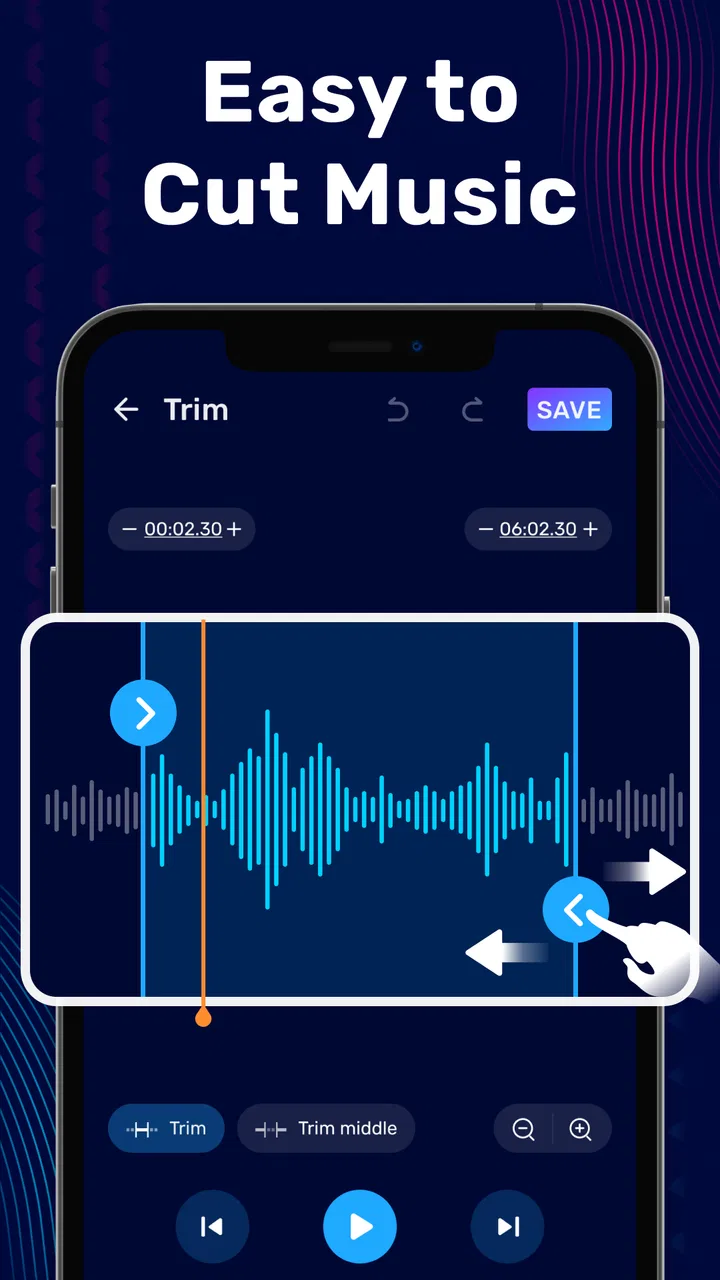
Trimming is the feature I would use most often. It is ideal for removing unwanted material from the front or end of a recording. For example, if I record a short interview question and leave several seconds before speaking, I can shorten the file before sending it to someone else. The same approach works for a personal reminder, a rehearsal excerpt, or a sound clip that needs to fit a specific use.
Cutting is slightly different from trimming because I think of it as selecting a useful portion from a longer file. That distinction matters when I want to keep the middle of a recording rather than simply shorten its edges. I would create a copy before making a major change, especially with an original voice recording. A small amount of organization at the beginning saves frustration if I later realize that I removed a sentence or musical phrase I still needed.
The voice editing side is particularly practical for people who record on their phones. I can imagine using it after capturing a spoken idea in a noisy environment, not to turn it into a studio performance, but to make the result easier to listen to. The app is also a sensible place to prepare a short narration or message when the recording application itself does not provide enough editing control.
The mixing function opens a different type of workflow. Rather than treating every file as an isolated clip, I can combine audio for a simple personal project, such as placing a spoken introduction alongside background music. The trade-off is that mixing requires more attention than trimming. I need to listen for balance and timing instead of assuming that two files will sound right together automatically. For that reason, I see mixing here as convenient mobile assembly rather than a substitute for detailed music production.
Where this app wins on a phone
The strongest advantage is concentration. Instead of moving between a voice recorder, a ringtone cutter, a music trimmer, and a separate mixer, I can begin with one app that covers several common needs. That matters when I am working from a phone and want to finish a small task before moving on. The broad toolset is more valuable to me than any single feature because it reduces the number of decisions at the start.
It also wins when speed matters more than elaborate control. A person preparing a short clip for a presentation, cleaning up a personal recording, or extracting a section from a longer file does not necessarily need a timeline filled with professional controls. In those situations, a focused mobile editor can be less intimidating than a desktop application with a steep learning curve.
One less obvious strength is that the same app can serve different levels of experience. A beginner can start with a simple trim, while a more confident user can move toward voice editing and mixing without changing tools. I like that progression because it lets me learn through real tasks. I do not have to understand every option before I can complete something useful.
Another practical strength is the relationship between editing and sharing. When I make a recording for someone else, the raw file often contains pauses, false starts, or irrelevant material. A quick edit makes the result more considerate for the listener. This is not a glamorous use case, but it is one of the reasons I would return to the app: it helps turn a rough phone recording into a cleaner, more purposeful file.
The app is also approachable for family use because its content rating is Everyone. I would still explain basic file organization and backup habits to less experienced users, but the general audience positioning makes sense. It is not presented as a specialist-only audio workstation, and that matches the way I would expect a casual phone user to approach it.
Three workflows that reveal more than the feature list
My first recommended workflow is the “keep the original” routine. Before cutting a recording, I would duplicate or preserve the source, then work on the copy. This is especially important for voice notes because the most valuable part may be a sentence that initially sounds unnecessary. Mobile editing encourages quick decisions, and preserving the original protects me from treating a reversible task as permanent.
The second is the “listen past the waveform” routine. A visual waveform helps me find loud and quiet sections, but it does not tell me whether a cut sounds natural. I would play a little before and after each proposed edit, paying attention to breaths, word endings, and musical rhythm. This is a small habit, yet it makes a noticeable difference when using a simple editor for spoken audio or music excerpts.
The third is the “mix for clarity, not volume” routine. When combining speech and music, I would first make the voice understandable and then adjust the supporting sound around it. Increasing everything can create a louder but less useful result. The app makes basic mixing convenient, but the quality of the outcome still depends on listening carefully and resisting the urge to solve every problem by adding volume.
A fourth useful scenario is preparing a short sample from a long recording. I might record a rehearsal, a lecture note, or a conversation and later extract only the section I need. Instead of sending the entire file and asking another person to search through it, I can create a concise clip. This is where a phone-based editor feels genuinely efficient: the editing decision is small, but the time saved for the listener is real.
Where another type of app may fit better
I would not choose this editor first for a serious multi-stage music project. A desktop digital audio workstation or a specialized mobile production app may be better when I need many tracks, detailed timing work, advanced effects, or a project that must remain editable over several sessions. Those alternatives are usually more demanding, but their extra complexity can be worthwhile for musicians and producers who have outgrown quick clip editing.
I would also consider a dedicated voice-recording solution when recording quality and capture controls matter more than post-editing convenience. This app is useful after a recording exists, but someone who spends most of the day capturing interviews, lessons, or field notes may prefer a recorder designed around that activity from the beginning. In that case, the editor could still be a companion tool rather than the main application.
Music listeners who only want to set a song as a ringtone may find a narrower cutter easier to understand. The advantage of this app is its range, but range can create extra choices. If a user has one repeated task and never touches voice editing or mixing, a specialized utility may feel faster. I would choose the broader app when I expect my needs to change, not merely because it contains more functions.
There is also a quality-versus-convenience trade-off. A phone editor is excellent for quick preparation, but a larger screen and more precise controls can make detailed work safer. If I were editing a long performance where a fraction of a second matters, I would rather use an environment that gives me more room to inspect and revise the timeline. For casual clips, that additional setup would be unnecessary; for important material, it could prevent mistakes.
The purchase model is another reason to compare alternatives before committing. Since the app is free to install but includes optional purchases from $1.49 to $49.99 per item, I would test the free experience against my actual routine. A different app may be preferable if its pricing is clearer for the specific tools I need. Conversely, switching away can be inconvenient if I already know this interface and regularly use several functions in one place.
What switching really costs
Moving to another editor is not only about learning buttons. I would need to rebuild habits around locating files, checking selections, previewing changes, and keeping originals safe. If I use this app for many small jobs, that familiarity has a real value. The time spent learning a new workflow can outweigh a theoretical feature advantage when my edits are short and infrequent.
On the other hand, staying with a simple editor can also have a cost. If I repeatedly work around missing precision or find myself exporting and re-editing because the project has become more complicated, the convenience starts to disappear. That is the point at which I would move to a more specialized tool rather than forcing a mobile utility to behave like a studio application.
My advice is to judge the app by the hardest task I perform regularly, not the easiest one. If my normal work is trimming, cutting, occasional voice cleanup, and simple mixing, this app has a sensible place on my phone. If my normal work involves complex arrangements or detailed sound design, I would choose the stronger alternative first and use this only for quick preparation.
I would also think about how I share finished files. The right editor is partly determined by the destination: a brief personal clip, a message, a social post, a presentation, and a music project all have different expectations. Audio Editor & Music Editor makes the most sense when the destination is practical and the edit can be judged by listening rather than by a demanding production specification.
My recommendation after using it
My clear recommendation is to try it if you want a flexible, approachable mobile audio toolbox. It is especially suitable for students, casual creators, people who record voice notes, and anyone who occasionally needs to shorten or combine audio without opening a computer. The free installation lowers the risk of testing it, and the broad set of editing tasks gives it more lasting value than a single-purpose cutter.
I would skip it if I already know that I need a professional production environment, highly detailed timeline work, or a workflow built around long, complex projects. In those cases, a specialized alternative will probably save time in the long run, even if it takes longer to learn. I would also avoid paying for extras until I have confirmed that the specific tools I use most often are comfortable and reliable in my own routine.
For an everyday example, imagine recording a short explanation for a colleague, noticing a long pause and an unclear ending, then adding a quiet music bed for a presentation. I would use this app to shorten the recording, inspect the transition by ear, bring the background in carefully, and create a cleaner clip to share. That is exactly the kind of modest but useful job where it earns its place.
Overall, I see this as a practical Music & Audio app rather than an all-purpose studio. Dairy App & Notes & Audio Editor & Voice Recorder has packaged several familiar needs into a single Android tool, and the result is most convincing when I keep the scope realistic. It helps me finish everyday audio edits with less friction, while its limits become clear when precision, scale, or deep production control takes priority.
With its Everyone rating, Android 7.0 compatibility, and free starting point, it is easy to recommend as a low-risk option for ordinary editing. I would install it for convenience, keep the original files, preview every important cut, and judge any optional purchase by repeated use rather than curiosity. Used that way, Audio Editor & Music Editor is a useful companion for quick audio decisions, even though it should not be mistaken for a full recording studio.
FAQs for Audio Editor & Music Editor
01What are the key features of Audio Editor & Music Editor?
Audio Editor & Music Editor offers a range of features including multi-track editing, audio effects, noise reduction, and support for various audio formats. Users can easily cut, merge, and mix tracks, as well as apply effects like reverb and equalization. Additionally, it supports high-quality export options for professionals.
02Is Audio Editor & Music Editor suitable for beginners?
Yes, Audio Editor & Music Editor is designed to be user-friendly, making it suitable for beginners. It features an intuitive interface with easy-to-follow tutorials and guides that help new users understand the basics of editing audio tracks. Even those with minimal experience can quickly learn to use its features effectively.
03Does Audio Editor & Music Editor support multiple audio file formats?
Absolutely, Audio Editor & Music Editor supports a wide range of audio formats including MP3, WAV, AAC, FLAC, and more. This versatility ensures users can import and export their projects in their preferred format, making it a flexible tool for different audio editing needs.
04Are there any in-app purchases or subscriptions required?
The app is free to download, but it offers in-app purchases and a subscription model to access premium features. These may include additional effects, advanced editing tools, and ad-free usage. Users can choose to upgrade for a more professional experience, but the basic features are available at no cost.
05How does the app handle audio quality during editing?
Audio Editor & Music Editor is designed to maintain high audio quality throughout the editing process. It uses advanced algorithms to ensure that sound clarity is preserved, even after applying multiple edits or effects. This makes it a reliable choice for both amateur and professional audio projects.
Pros
- User-friendly interface for easy navigation.
- Wide range of audio editing tools available.
- Supports multiple audio formats.
- High-quality output without distortion.
- Regular updates with new features.
Cons
- Limited free version features.
- Occasional in-app ads.
- Requires internet for some features.
- Steep learning curve for beginners.
- Some advanced tools require purchase.

Audio Editor & Music Editor
Gallery